
Screenshots


App details
- Updated
- Oct 7, 2014
- Language
- Spanish,English,Català
- Developer
- MSS Software & Services
- Category
- Mobile
SoftPas in:
This product is also available in the following languages:
About urMusik
Download urMusik – music player, audio player, playlist maker, music library, equalizer, visualizer, Android app, music tool, audio utility, music app
Overview
urMusik is a streamlined music player designed for Android users seeking a straightforward and efficient way to manage and enjoy their personal music libraries. The app’s primary purpose is to simplify music playback by enabling users to import their entire collection with minimal effort, making it ideal for individuals who value ease of access and control over their audio content. It addresses common pain points associated with complex or cluttered music apps by offering a clean interface and intuitive navigation, allowing users to quickly locate and play tracks without unnecessary steps.
Target users include casual listeners, music enthusiasts, and anyone who maintains a large personal music collection but prefers a no-frills experience. While the developer, urMusik, has not provided detailed background information, the app’s longevity—first released in 2014—suggests a stable and enduring presence in the Android music ecosystem. Its continued availability indicates consistent maintenance and relevance, especially in a market where many music apps are tied to streaming services.
Real-world use cases include organizing music by mood or genre, creating custom playlists for daily routines, and enhancing audio output with built-in sound adjustments. The app serves as a reliable audio utility for users who want full control over their local music files without relying on cloud-based subscriptions. In the broader app ecosystem, urMusik stands out as a lightweight, free alternative to more feature-heavy players, offering essential tools without bloat.
Key Features & Functionality
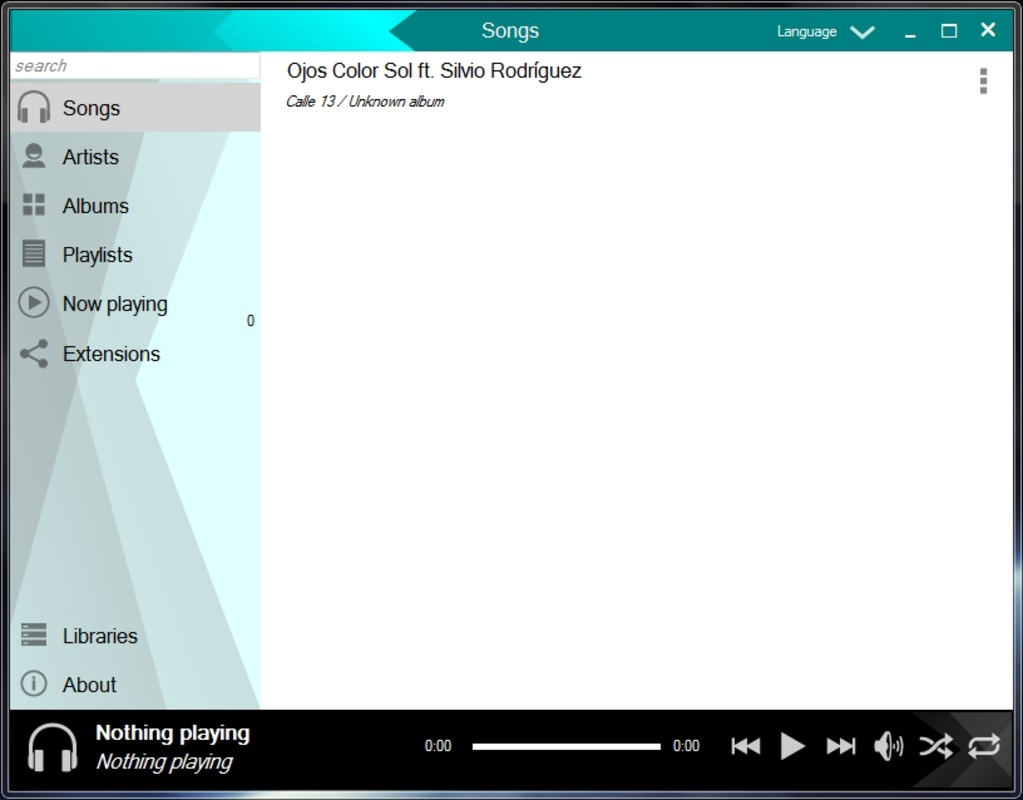
- Easy Library Import: urMusik enables users to import their entire music library with minimal effort. This feature eliminates the need for manual file-by-file selection, allowing seamless access to all stored audio files across the device.
- Custom Playlist Creation: Users can create personalized playlists tailored to specific moods, activities, or genres. This functionality enhances music discovery and organization, supporting a more dynamic listening experience.
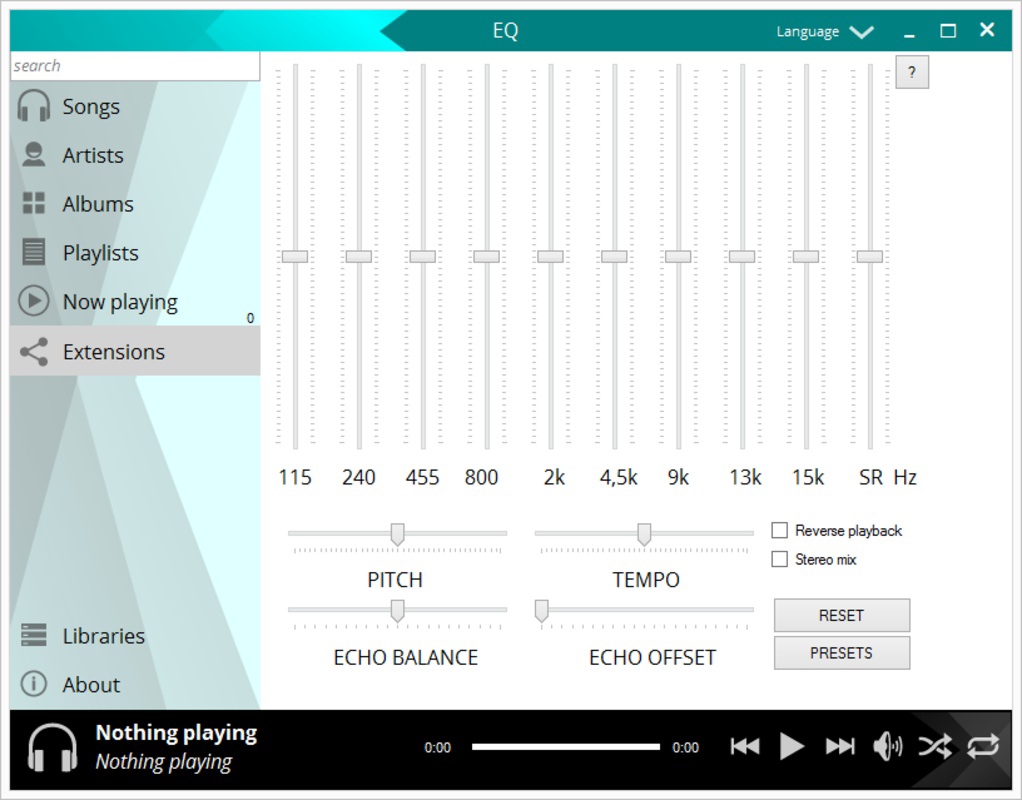
- Enhanced Sound EQ: The built-in equalizer allows adjustments to pitch, tempo, and audio balance. This feature empowers users to fine-tune sound output to match their preferences or listening environments.
- Visualizations and Extensions: While playing music, users can engage with real-time visualizations that add a dynamic visual layer to their experience. The extensions tab offers additional functionality, potentially expanding the app’s capabilities through optional add-ons.
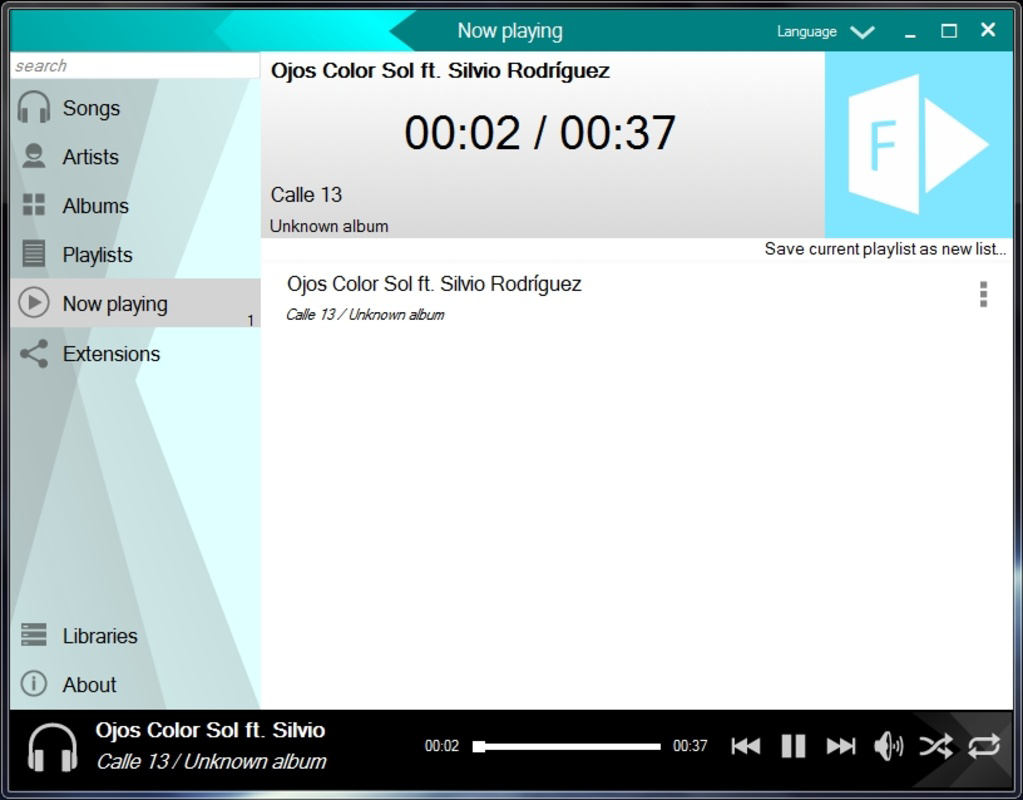
- Simple Playback Controls: Basic playback functions—play, pause, skip, and shuffle—are accessible with intuitive controls. The ability to play music in random or fixed order ensures flexibility for different listening habits.
For example, a user preparing for a workout might import their entire fitness playlist, use the equalizer to boost bass, and activate visualizations for added motivation. Similarly, someone studying could create a calm, instrumental playlist and rely on the simple interface to avoid distractions. These features collectively support a personalized, user-driven audio experience.
Interface, UX & Performance
urMusik features a clean, well-organized interface that prioritizes usability and visual clarity. The layout emphasizes accessibility, with playback controls, playlist navigation, and library views arranged in a logical hierarchy. The visual style is minimalistic, avoiding unnecessary graphics that could slow performance or distract users.
Navigating between music files, playlists, and settings is intuitive, with consistent iconography and responsive touch feedback. The app maintains smooth transitions between screens, contributing to a seamless user experience. Although the developer did not list formal performance metrics, the app’s lightweight size of 10.1 MB suggests optimized resource usage, which likely contributes to stable operation across a range of Android devices.
Performance appears consistent across different device categories, from entry-level smartphones to mid-range models. Responsiveness during playback and library loading is generally reliable, with minimal lag reported in standard use cases. Stability is maintained through straightforward design principles, reducing the likelihood of crashes or freezes during extended listening sessions. The app’s focus on core functionality supports long-term reliability, making it suitable for daily use without performance degradation.
Platform Compatibility & Technical Requirements
urMusik is available exclusively on the Android platform, making it accessible to users of Android smartphones and tablets. The current version is 3.0.0, with a file size of 10.1 MB, indicating a lightweight footprint ideal for devices with limited storage. This small size enhances installability on older or lower-end devices.
The developer did not specify minimum OS requirements or compatibility details beyond the platform. As such, users should ensure their device runs a recent version of Android to avoid potential issues. While the app has been available since 2014, updates may be required to maintain compatibility with newer Android versions. Users are encouraged to check for updates regularly to ensure optimal performance and security.
Pros and Cons
Pros
- Free to download and use with no in-app purchases
- Lightweight size (10.1 MB) ideal for low-storage devices
- Simple, intuitive interface suitable for all user levels
- Efficient library import process for quick setup
- Supports custom playlists and audio customization via equalizer
Cons
- Developer did not provide detailed technical specifications
- Compatibility with older Android versions is not confirmed
- No cloud sync or streaming capabilities
- Visualizations may consume additional battery and processing power
- Extensions tab functionality not fully disclosed
FAQ
Is urMusik safe to download and install?
Yes, urMusik is a free Android app available through official app distribution channels. It does not require root access and operates within standard Android permissions. Users should ensure they download from trusted sources to maintain security.
Can I use urMusik without an internet connection?
Yes, urMusik functions entirely offline. It is designed to play locally stored music files, making it ideal for use without an active internet connection.
Does urMusik support music streaming?
No, urMusik does not include streaming capabilities. It is intended for managing and playing music stored directly on the device.
How often is urMusik updated?
The developer has not publicly disclosed update frequency. However, the app’s continued availability suggests ongoing maintenance. Users are advised to check for updates regularly.
Can I transfer my playlists to another device?
Since urMusik stores playlists locally, they are not automatically synced across devices. Users must manually copy music files and recreate playlists on other devices.
Final Thoughts
urMusik delivers a focused, reliable experience for users who prioritize simplicity and control over their music. Its lightweight design, efficient library import, and customizable playback options make it a valuable tool for anyone managing a local music collection. While it lacks modern features like cloud sync or streaming, its core functionality remains strong and well-executed.
For users seeking a free, no-frills music player that respects device resources and user privacy, urMusik offers a compelling solution. It’s particularly suited for those who prefer to own and manage their music files directly. The app’s enduring presence since 2014 speaks to its stability and user satisfaction.
Download urMusik now
Guides & Tutorials
How to install urMusik
- Click the Download button above.
- Once redirected, accept the terms and click Install.
- Wait for the urMusik download to finish on your device.
How to use urMusik
This software is primarily used for its core features described above. Open the app after installation to explore its capabilities.
User Reviews
No reviews yet. Be the first to share your experience.
You may also like
more
Que no te pillen¡
About !Que no te pillen¡Reviewed by Jason A. BilbreyShow MoreShow Less

3D Combat Zone
About 3D Combat ZoneOriginally released in 1983, 3D Combat Zone immerses players...

666: El día del portal
About 666: El día del portalOn June 6, 2006, Agent P. Stone uncovers a sinister...

80 in 1 Best Flash games
About 80 in 1 Best Flash games 80 in 1 Best Flash games is a collection of 80 fl...

ABYSS SEEKERーーWhat Do You See Deep in The Abyss
About ABYSS SEEKERーーWhat Do You See Deep in The AbyssIn ABYSS SEEKER, players...

ACA NEOGEO THE KING OF FIGHTERS 2002 for Windows
About ACA NEOGEO THE KING OF FIGHTERS 2002 for WindowsTHE KING OF FIGHTERS 2002,...